Review Process
All products submitted to Marketplace undergo a review process to ensure they meet quality and compliance standards. This review process helps ensure Marketplace continue to deliver high-quality products to users, and is designed to provide valuable feedback to Makers to set you up for success.
On this page, you'll learn more about:
What to expect as part of your product being reviewed.
The statuses a product can be in, and what they mean.
How to submit a revision of a rejected product.
What to Expect
When you submit your product to Marketplace, it will be reviewed to determine if it meets requirements for publication on Marketplace; here's what to expect.
Every new product and version is reviewed.
A review includes assessing the product and its details.
You should allow 4–10 working days for a review.
Feedback and review communication will occur via email with maker@elgato.com.
What is Reviewed
The review of a product includes, but is not limited to, the assessment of:
The quality of the submitted product, for example Stream Deck plugin or profile.
The accuracy, quality, and legality of the name, description, and release notes.
The accuracy, quality, and legality of media associated with the product.
The accuracy of the product listing, such as supported devices and operating systems.
For products that require hardware or integrations with paid services, you will be required to submit a video demonstrating the plugin is fully functional.
Expectations
To further understand product expectations, and to learn more about best practices, you should review the following guidelines:
Product guidelines — requirements for product listing, such as name, description, and media.
Branding guidelines — best practices when referring to Elgato products, and vocabulary used throughout the Elgato ecosystem.
Where applicable, you should also review product specific guidelines:
Review Flow
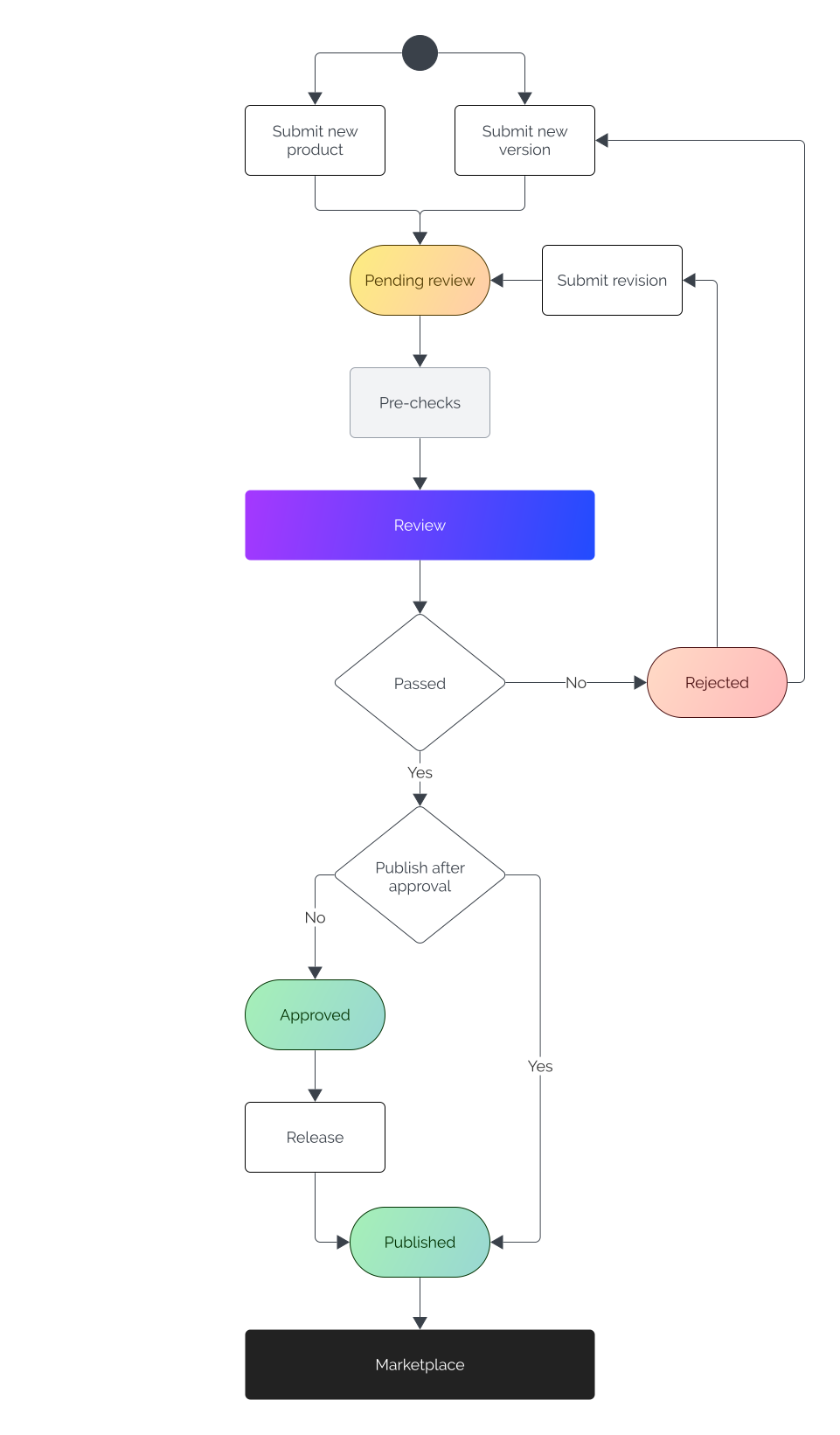
The following flow-diagram outlines the stages of the review process, and what you can do at each stage of the review process.
Review Statuses
When you submit your product in Maker Console, its status will change to Pending review and it will go into the review queue. Following review you will receive a notification of the outcome and the status of your product will change to one of the following:
Published — Product is published and is available on Marketplace.1
Approved — Product is ready for you to release it onto Marketplace.
Rejected — Product does not yet meet the necessary requirements for publication. Changes will need to be made, and your product re-submitted for review.
1 products are automatically published following successful review; you can opt out of automatic publication when submitting your product by unselecting Automatically publish after being approved. Products may take up to 3 hours to become available after review.
All products are subject to review. Please ensure there is sufficient time between submission and the planned go-live date. Review times may vary, and during busy periods the process can take 4–10 business days.
Submitting Revisions
Should your product not meet quality and compliance expectations, you will receive feedback asking for changes to be made. Once the necessary changes have been made, you can resubmit your product for review by either:
Submitting a revision of the current rejected version.
To submit a revision, log into Maker Console, select Products and the product you wish to revise, and then the Versions tab.
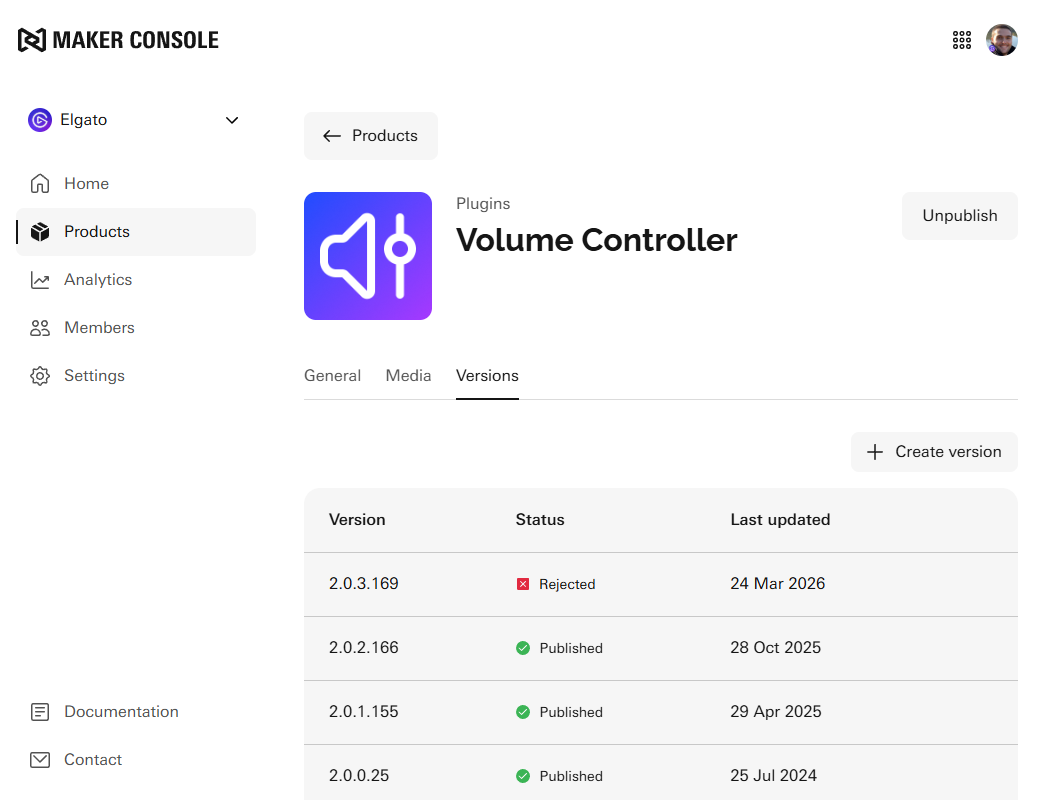
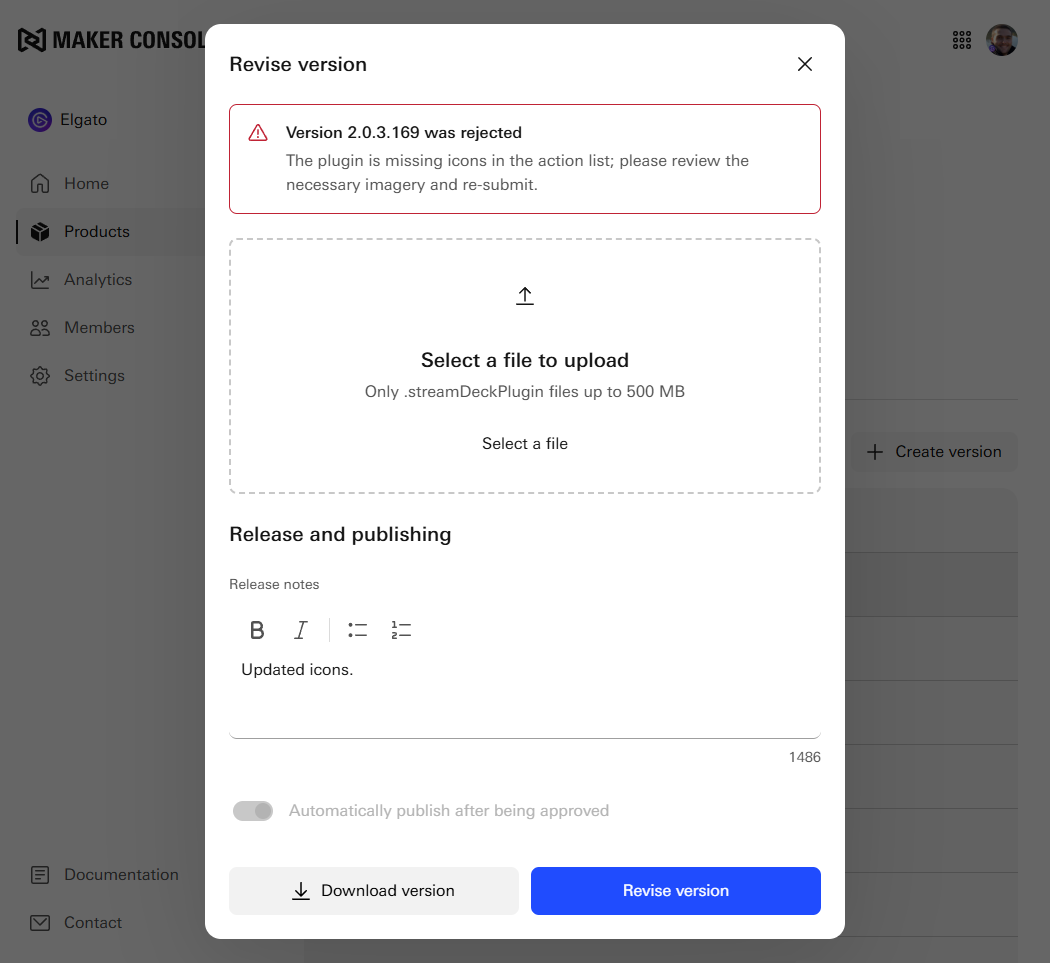
Selecting the rejected version will open a dialog allowing you to select a revised file, and submit a revision.