Submitting Products
Products available on Marketplace are submitted and managed through Maker Console; here you can submit new products, manage existing products, and submit new versions or revisions.
On this page, you'll learn more about:
Submitting your products using Maker Console.
Supported product types.
The review process.
Supported Products
Marketplace supports listing Maker products for the following product types:
Stream Deck
Plugins
Profiles
Icons
Screensavers1
Wave Link
Audio effects (VSTs)1
EQ presets1
Camera Hub
LUTs1
Backgrounds1
OBS scene collections (Marketplace Connect)
3D print files1
1 requires email submissions.
Submitting other product types
You can submit products not yet supported by Maker Console by emailing maker@elgato.com with the subject "New Product Submission" and include the following details:
Name — the name of your product as it will appear on the product page.
Description — minimum of a few sentences, up to 1,500 characters.
Price — if free, please state so. Otherwise, include your desired price and currency.
Media — 1 thumbnail and a minimum of 3 gallery images.
Product files — the files that make up your product.
Optionally, you may also include
Additional links — any relevant links to your website, support page, setup guide, demo, or privacy policy.
Video — 1920 × 1080 in MP4 format (≤50 MB), with a thumbnail at 1920 × 960 in PNG or JPEG format.
If you are an IP holder and would like to become an approved soundboard partner, please reach out to us at maker@elgato.com.
Uploading Your Product
To submit your product through Maker Console, you will need:
Your product's file
Name
Description
Thumbnail image — 1920 × 960 px PNG
3 gallery items, either images and/or a video — 1920 × 960 px PNG, or 1920 × 1080 MP4
Additional links, such as support links or resources
Release notes
Your product's name and monetization options cannot be changed in Maker Console. Should you wish to change these, please contact us at maker@elgato.com.
When you have everything you need:
Log in to Maker Console
Navigate to Home
Select Create product
And follow the on-screen wizard.
Step 1. Files
Select your product type, for example Stream Deck plugin.
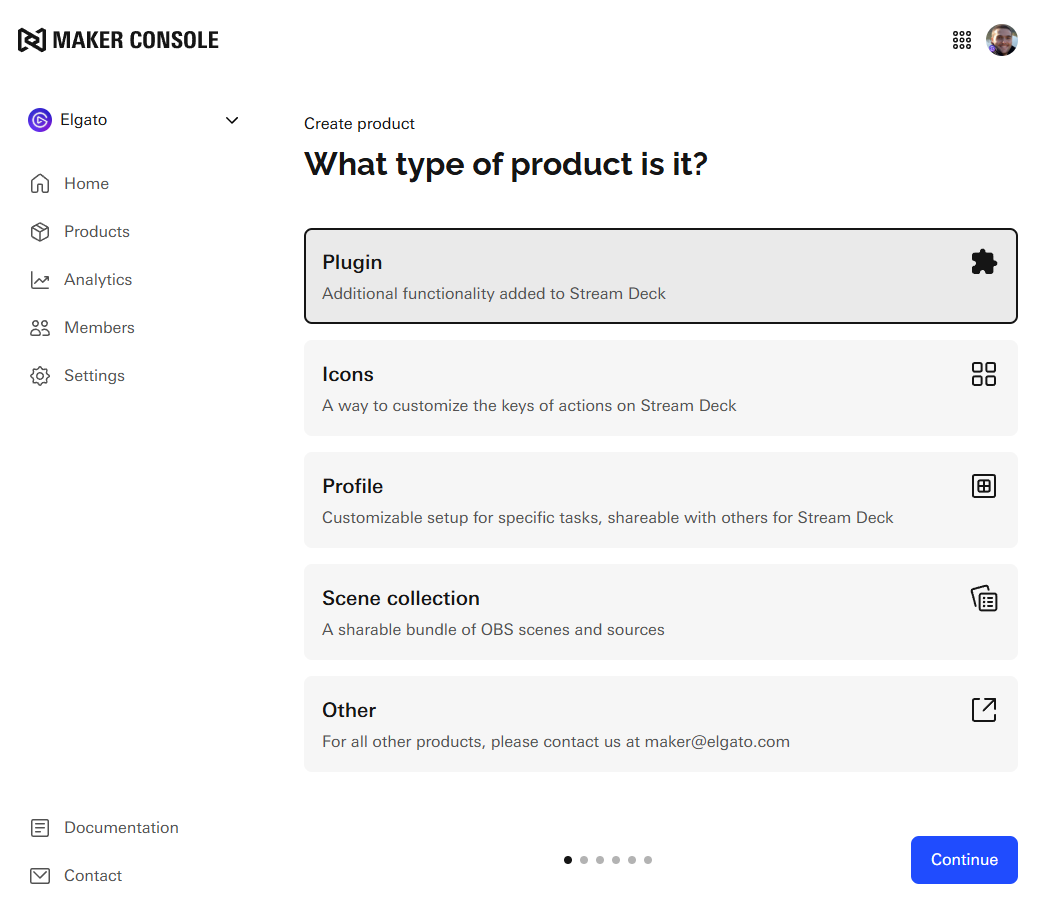
Upload your product's file
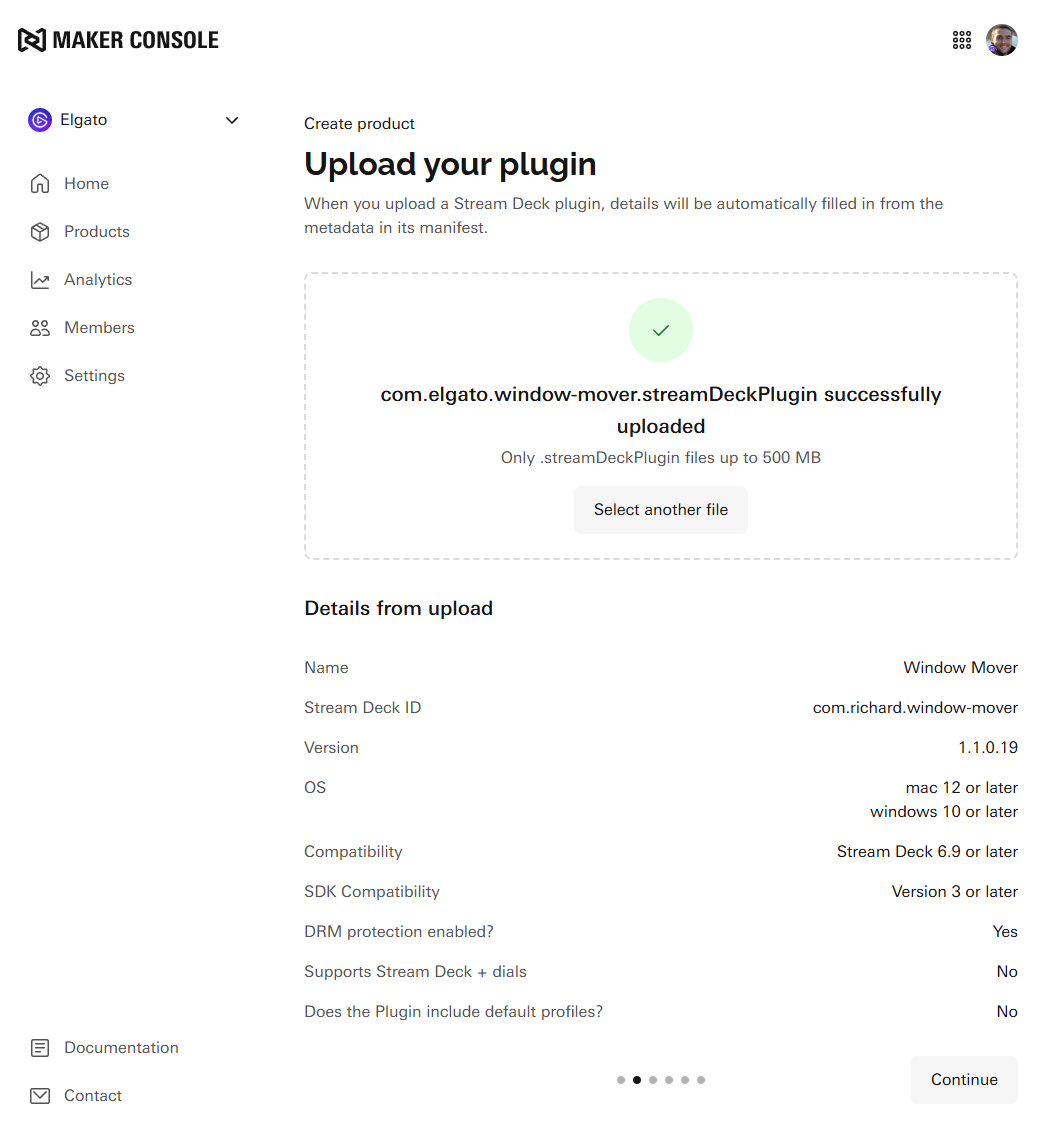
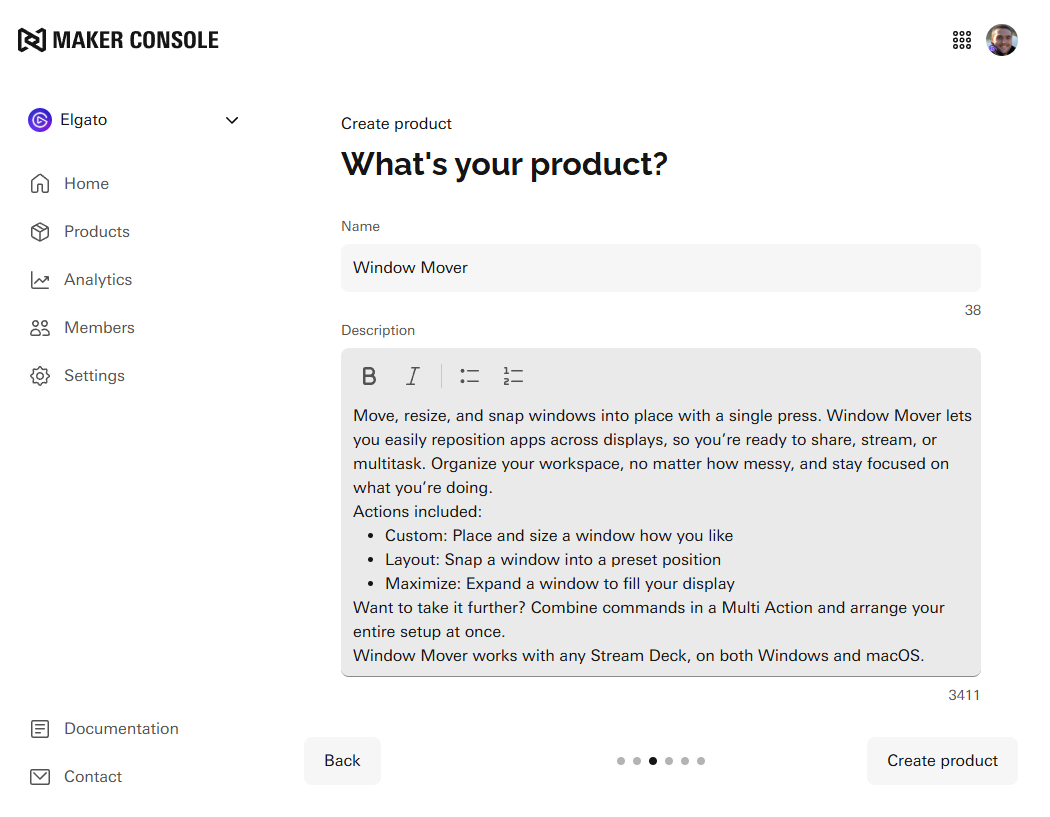
Step 2. Details
Review your product's name and description — when writing your description, be sure to include keywords for the software, game, or devices your product is designed for. This helps with user discoverability, internal search results, and browser SEO.
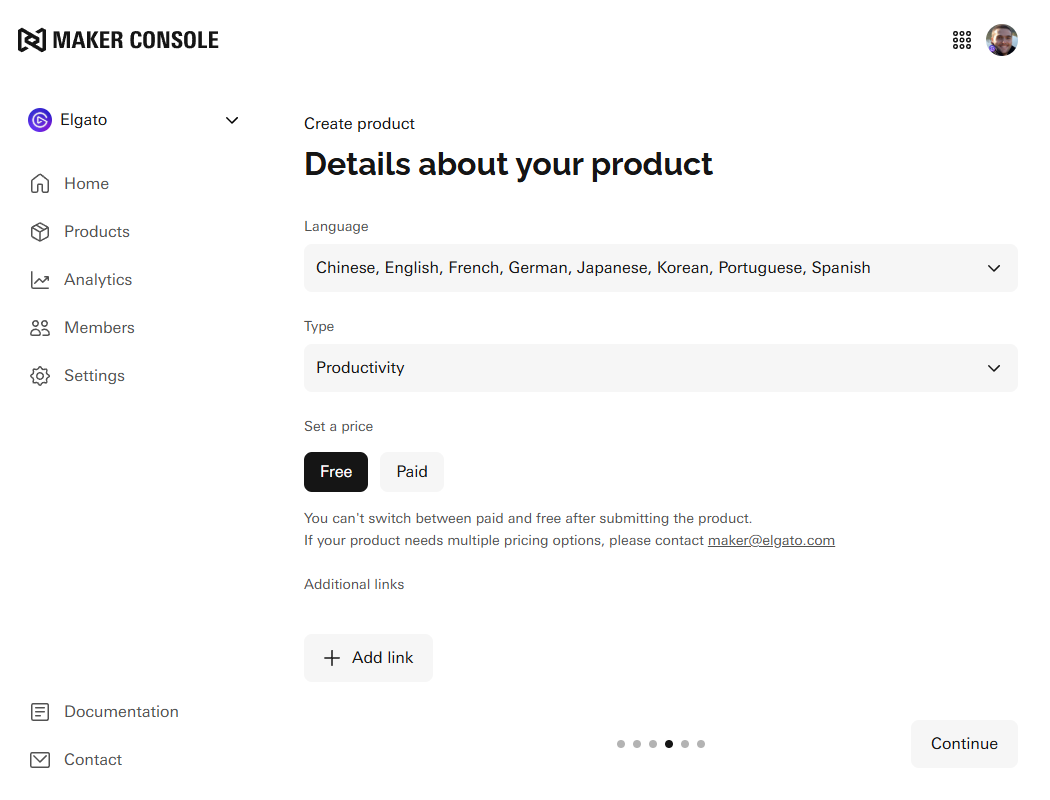
Set the tags, pricing, and additional links — for products such as Stream Deck profiles and icons, tags allow you to specify the supported devices and operating systems, as well as tell users more about your product, such as theme and color etc.
Step 3. Media and Release Notes
Upload your product's media including thumbnail and gallery items, and app icon (Stream Deck plugins) and icon previews (Stream Deck icons) where necessary.
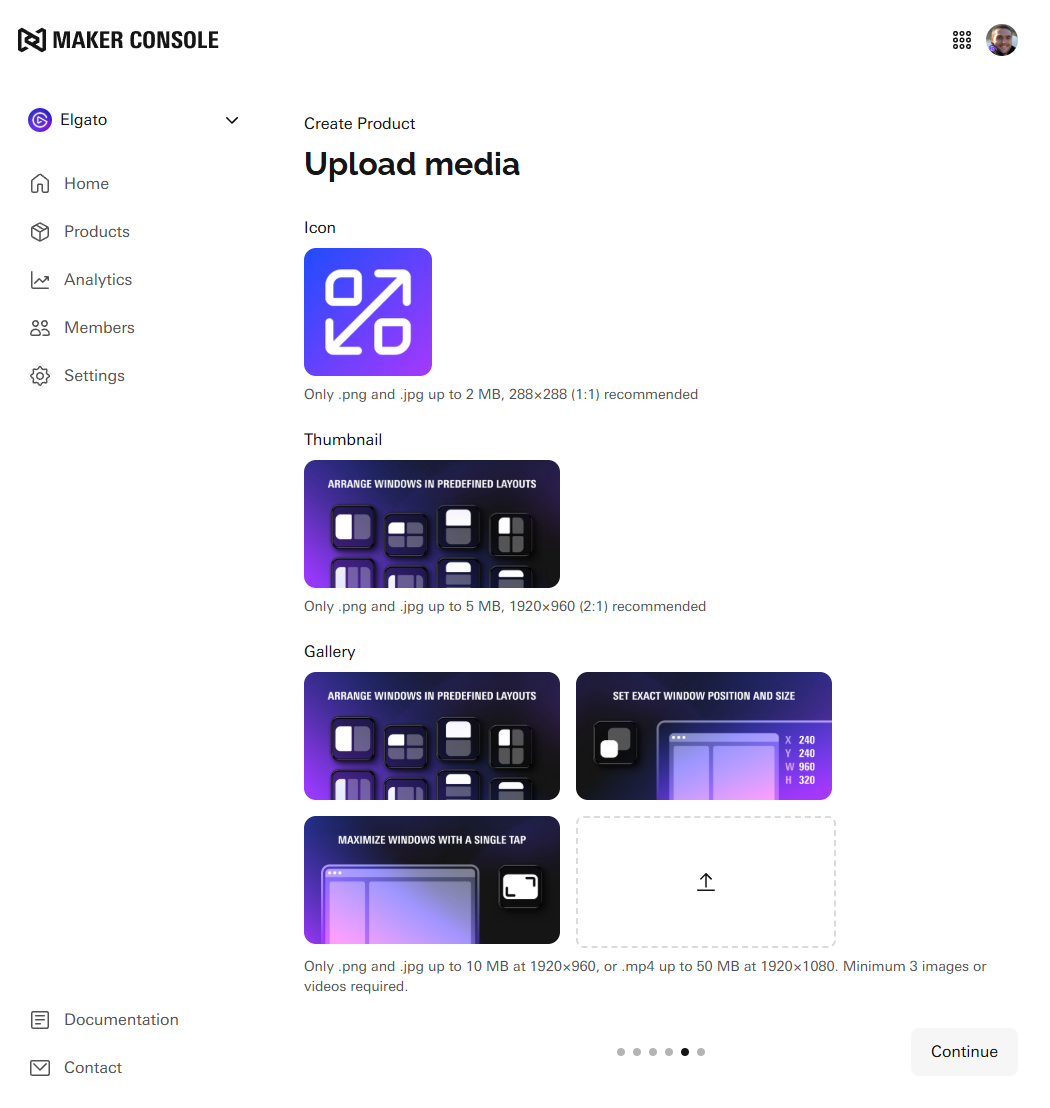
Add release notes, that detail what is included as part of these changes.
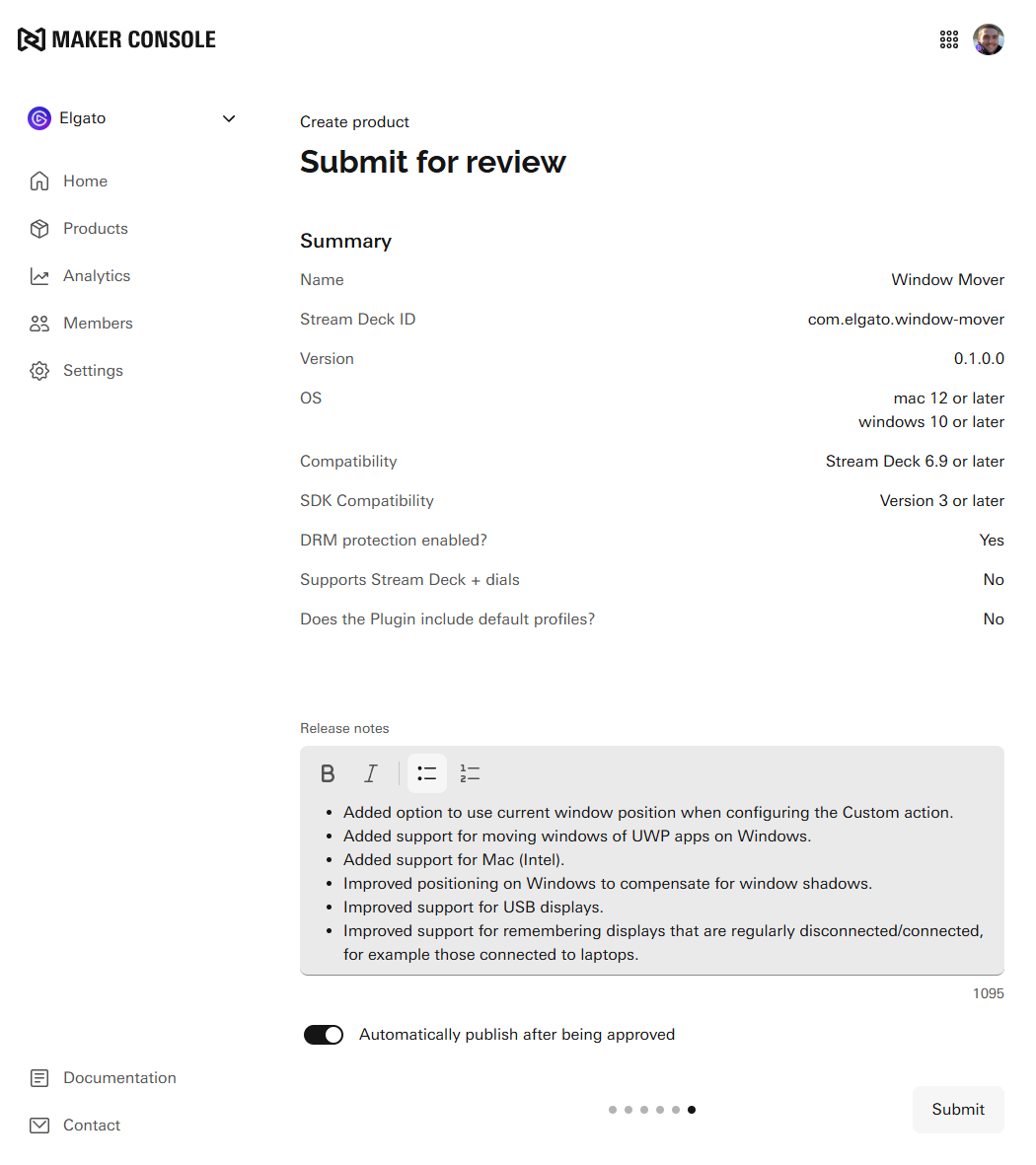
Lastly, submit your product for review!
For review and submission inquiries please contact us on maker@elgato.com.
Submitting other product types
You can submit products not yet supported by Maker Console by emailing maker@elgato.com with the subject "New Product Submission" and include the following details:
Name — the name of your product as it will appear on the product page.
Description — minimum of a few sentences, up to 1,500 characters.
Price — if free, please state so. Otherwise, include your desired price and currency.
Media — 1 thumbnail and a minimum of 3 gallery images.
Product files — the files that make up your product.
Optionally, you may also include
Additional links — any relevant links to your website, support page, setup guide, demo, or privacy policy.
Video — 1920 × 1080 in MP4 format (≤50 MB), with a thumbnail at 1920 × 960 in PNG or JPEG format.
Learn More
Understand more about the review process.
Managing your product and submitting new versions.
Inviting team members to your organization to manage products.